 Ad · Affiliate partner
Movavi Video Editor 2027 · Windows and Mac
Turn a folder of clips and photos into a film you’re proud to share.
Movavi calls Video Editor “your simple yet powerful editor for creating wow videos”, built so that even someone who has never edited before can finish a film. The 2027 version adds Templates made of Blocks, so you can drop your own photos into a pre-edited design. Here is what it says it does, and what that means for your film.
- Easy from the first edit Drag and drop on a clear, streamlined timeline. Movavi says it is easy to use even if you’ve never edited a video before.
- Start from a Template New in 2027: pre-edited designs made of Blocks. Drop in your own photos, clips and text, then swap or shuffle the parts.
- Photos to film in three steps The Slideshow Wizard takes a folder of photos, videos and music, with no limit on the number of files, Movavi says.
- AI tools with no credits Subtitles, noise removal, denoise and auto-tracked cropping are included in the full version, with no credits to buy or count.
- Wide to vertical, automatically Auto-tracked cropping keeps the person or product centred when you turn a landscape clip into a vertical one.
- Up to 4K, on Windows or Mac Windows 10 and 11, or macOS 12 or later including Apple silicon. The full version exports up to 4K.
Paid link: if you sign up through it, the company pays me a commission. You pay the same. How this site is funded.
We haven’t run our own tests yet; the examples on this page are Movavi’s official partner materials, and every claim is Movavi’s own, checked on its pages on 27 November 2026.
Price and plans
On 27 November 2026 Movavi’s buy page offered Video Editor as a monthly subscription or a one-year Video Editor Plus plan, with a Lifetime option on the same page, and a 14-day money-back guarantee. The page sets the currency by country, so read the price in pounds on Movavi’s own checkout before you pay. Movavi Templates (the full template library) and Movavi Effects (10,000+ extra effects) are optional add-on subscriptions.
New and updated in Movavi Video Editor 2027
Movavi released Version 27 on 29 September 2026, headlined by Templates made of Blocks. These are the features it highlights for 2027, in its own partner artwork.
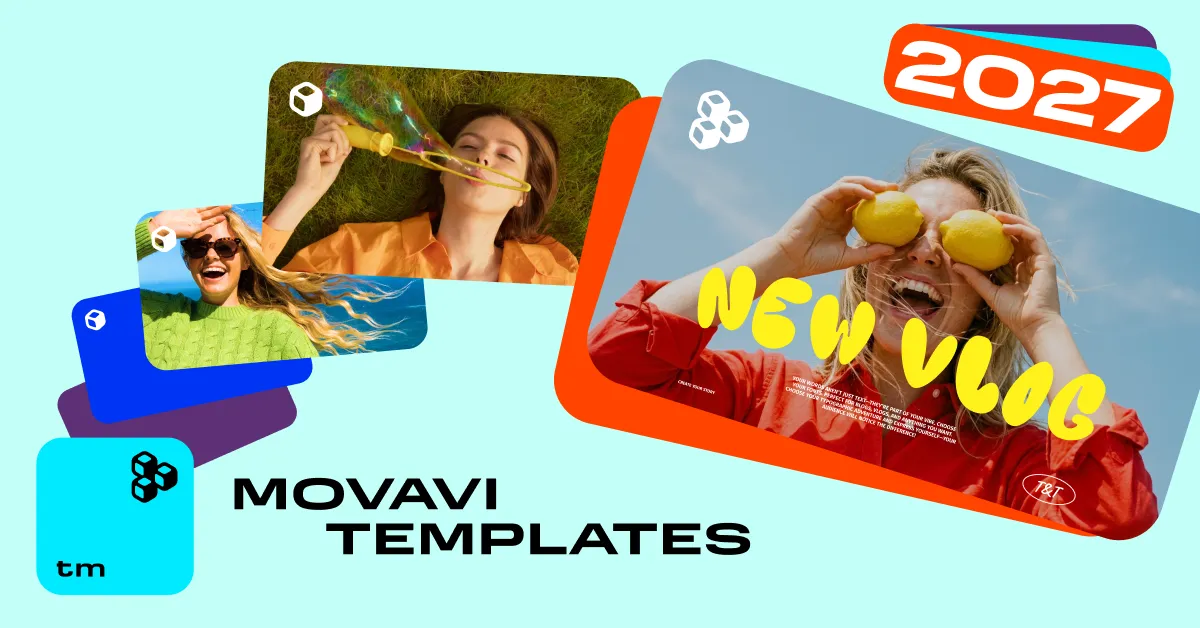
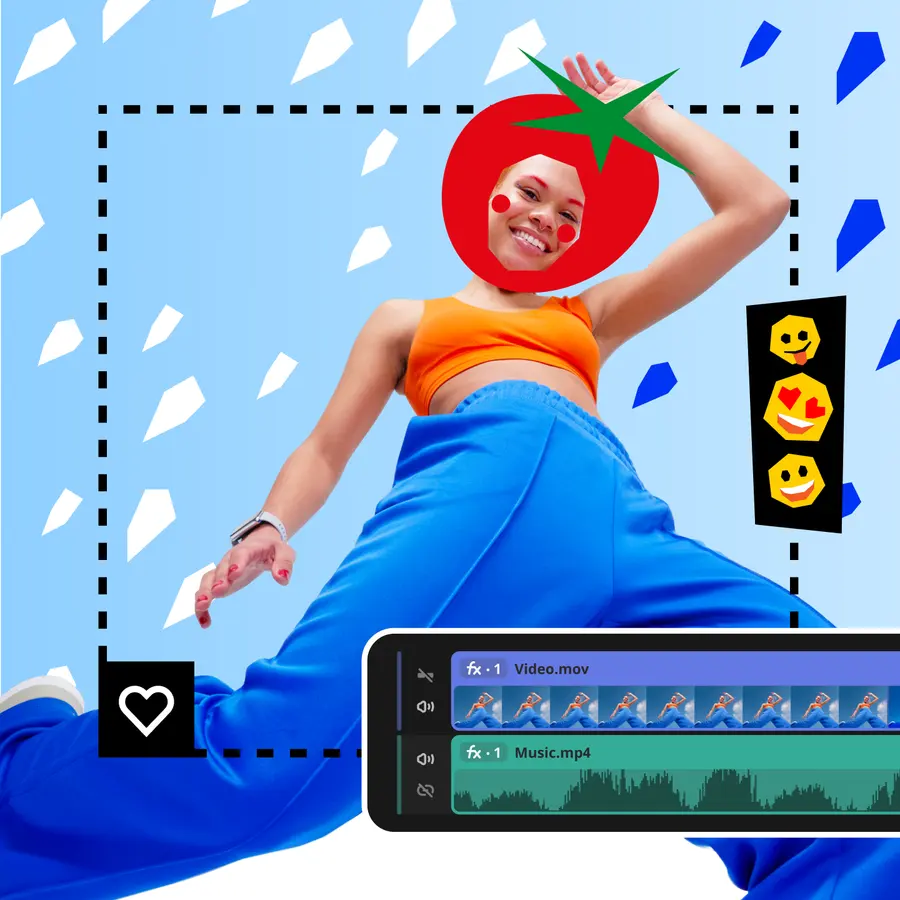
Pictures: official Movavi partner materials (promotional art, product art, logo and app icon), used as supplied by Movavi.

What Movavi Video Editor 2027 gives you
The tools Movavi lists for Video Editor 2027, in its own words where it makes a claim. Checked on Movavi’s pages on 27 November 2026.
- Templates and Blocks New in Version 27: ready-made designs with editing, music, transitions and text built in. Use one as it is, or rearrange its Blocks.
- Slideshow Wizard Pick it from the Start menu, add a folder of photos, clips and music, choose a theme, and Movavi builds the film. Or use Manual Mode.
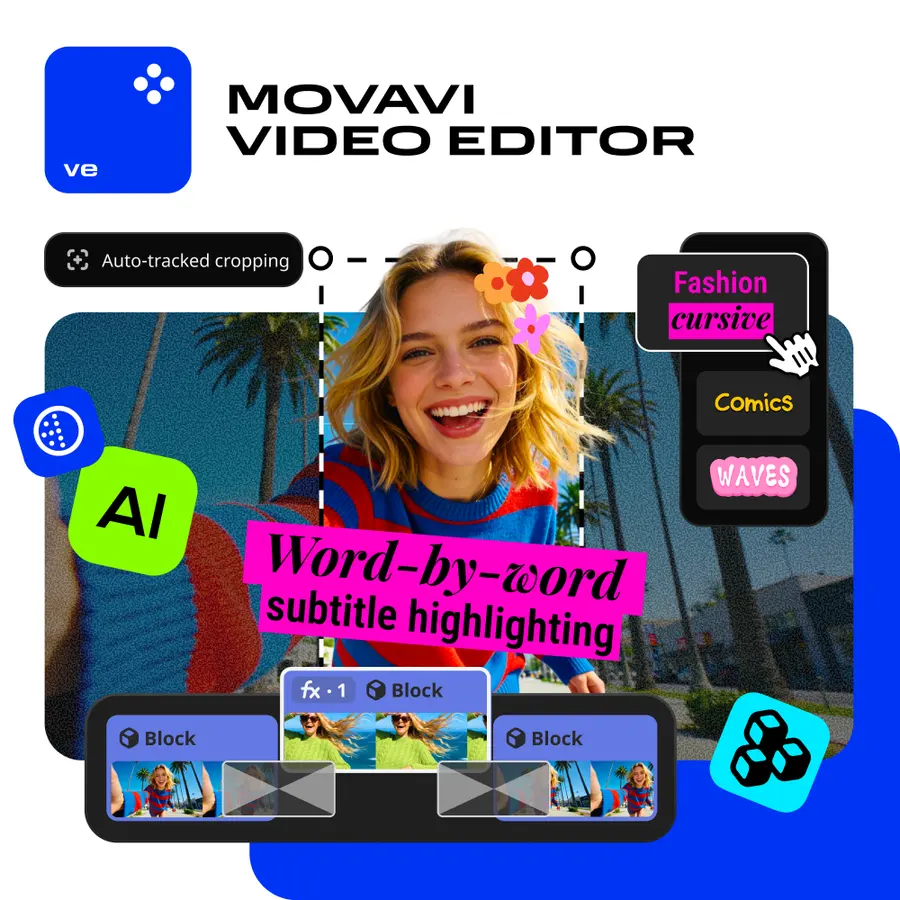
- Auto-tracked cropping The frame follows your main subject. Movavi says it tracked more smoothly than other editors in 7 out of 10 of its internal comparisons.
- Word-by-word subtitles Karaoke-style highlighting of each spoken word, on top of one-click auto subtitles in more than 100 recognised languages.
- Quick video denoise Smooths grain without blurring faces or fine detail, Movavi says. Made for low-light, phone and older footage.
- Pre-timeline trimming Trim a clip before it reaches the timeline, so you only bring in the part you need.
- AI audio cleanup and silence removal Clear wind, traffic and background noise (Movavi quotes 95% noise reduction), and cut silent pauses automatically or by your own settings.
- Background removal and motion tracking Swap the background behind a person without a green screen, or pin a photo, sticker or caption to something moving. Full version.
- Editing essentials Trim, crop, rotate and merge; Blade tool cuts; colour correction; speed, slow motion and reverse; stabilisation; picture-in-picture.
Got a folder of photos waiting to become a film?
Download Movavi Video Editor free and try it on a short edit first. The free version adds a watermark and may limit video exports to 60 seconds.
Paid link: if you sign up through it, the company pays me a commission. You pay the same. How this site is funded.
How Movavi works
-
Bring in your photos and clips
Add pictures, video and music. Movavi lists JPEG, PNG, BMP, GIF and TGA among the image formats, and MP4, MOV, AVI and more for video. Trim each clip before it goes in.
-
Pick a starting point
Let the Slideshow Wizard build a first cut, start from a Template and drop your own photos into its Blocks, or lay everything out yourself in Manual Mode.
-
Add titles, music and transitions
Drag in titles, transitions and stickers, lay music under the pictures and add subtitles in one click.
-
Export and share
Save in a popular format at up to 4K in the full version, or upload to YouTube, TikTok or Google Drive from inside the program.
Movavi Video Editor is a desktop editor for Windows and Mac. Movavi’s own summary is “an intuitive video editor for creating any type of content, from vlogs and business promos to family clips and educational videos”. It is aimed at beginners, and at people who know some editing but want a simpler, faster workflow. On pics2vids it fills one job: you already have the photos and clips, and you want them in one finished film with titles and music.
Movavi Video Editor 2027 at a glance
| Detail | What Movavi says |
|---|---|
| Made by | Movavi, founded in 2004 |
| Current version | 27.4.0, updated 23 November 2026 (Version 27 released 29 September 2026) |
| Runs on | Windows 10/11 64-bit; macOS 12 or later, Intel or Apple silicon |
| Ways to start | Slideshow Wizard, a Template made of Blocks, or Manual Mode on the timeline |
| AI tools | Included in the full version, with no credits to buy or count |
| Export | Up to 4K in the full version; upload to YouTube, TikTok or Google Drive from the program |
| Free download | Yes, with a “Trial” watermark and possible export limits |
| How it is sold | Monthly or one-year subscription, with a Lifetime option on the buy page |
| Refunds | 14-day money-back guarantee |
What’s new and updated in 2027
Movavi released Version 27 on 29 September 2026. Its headline is Movavi Templates. The 2027 release also brings together four tools that arrived in updates through 2026, and Movavi lists all five as new and updated on its buy page. Here is what each one does for a film made from your own pictures.
- Templates made of BlocksNew in Version 27. Each template has editing, music, transitions and text built in. Its Blocks are short pre-edited segments, such as intros, countdowns, quick cuts and animated collages, that you fill with your own photos and clips, then reorder or swap.
- Auto-tracked croppingAdded in March 2026. Turn a landscape clip vertical for Reels, Shorts or TikTok, and the frame follows the person or product so they stay centred.
- Word-by-word subtitlesAdded in May 2026. Each spoken word lights up as it is said, the karaoke-style look of creator videos, on top of one-click auto subtitles.
- Quick video denoiseAdded in March 2026. Smooths grain in low-light, phone and older clips. Movavi says it does so without blurring faces or fine detail.
- Pre-timeline trimmingAdded in February 2026. Take only the seconds you need from a long clip before it reaches the timeline, so the project stays tidy.
Three ways to turn photos into a film
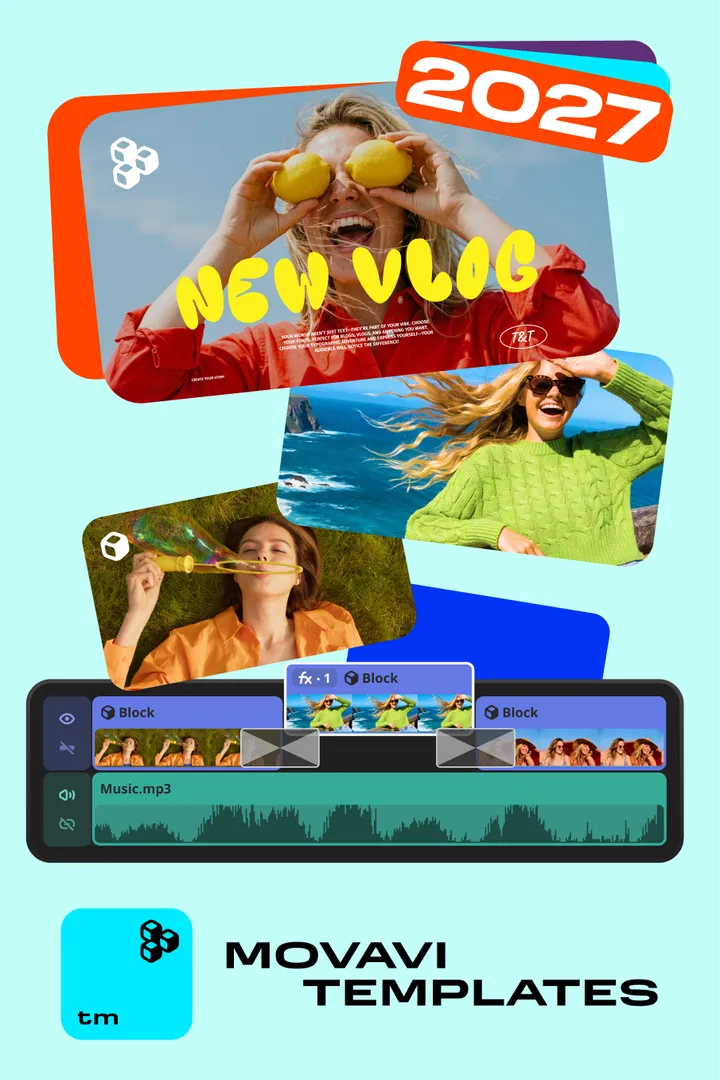
Movavi gives you three starting points. Which one suits you depends on how much of the editing you want to do yourself.
The Slideshow Wizard. Pick it from the Start menu, add a folder of photos, videos and music, choose a theme, and Movavi puts the first cut together. Movavi says there is no limit on the number of files. This is the quickest route for a birthday, an anniversary or a year of family photos.
A Template. Choose a ready-made design, such as a vlog, a family video or a business promo, and drop your own photos, clips and text into its Blocks. Shuffle the Blocks, add new ones, or drop a single Block, such as an intro or a countdown, between your own clips. A starter set of templates comes with the full version, and the whole library is a Movavi Templates subscription.
Manual Mode. Lay the pictures on the timeline yourself, in the order you want, then add transitions, titles, stickers and music. Choose this when the order and the timing matter, as they do in a tribute.
Whichever you pick, the last steps are the same: add subtitles in one click if there is speech, check the sound, and export at up to 4K in the full version or upload straight to YouTube, TikTok or Google Drive.
The films it suits
- Good fitA family filmBirthdays, weddings, a baby’s first year, a holiday. Movavi names family movies among its core uses, and the Slideshow Wizard takes a whole folder at once.
- Good fitA tributePhotos and short clips in order, gentle transitions, a title and music you have the right to use. For the method, read the memorial guide.
- Good fitA social shortAuto-tracked cropping turns a landscape clip vertical, and word-by-word subtitles give the captioned look of creator videos.
- Good fitA simple business videoA product demo, an event recap or a promo, with your logo and text in a Template, and background removal in the full version.
- Look elsewhereOne photo that moves on its ownMovavi edits the pictures you give it. To make a single still move, you need an image-to-video generator; you can then put that clip on the Movavi timeline.
- Look elsewhereEditing on a phone or in a browserVideo Editor is desktop software for Windows and Mac. You install it on your own computer.
The free download and the full version
You can download Movavi Video Editor free to try its editing tools. Some features and export options require the full version. If the trial button downloads a Windows installer on your Mac, use Movavi’s official Mac product page.
| Feature | Free download | Full version |
|---|---|---|
| Watermark | A “Trial” watermark on exported videos | None |
| Length | May limit video to 60 seconds or audio to half its length | No cap |
| Export quality | No 4K export | Up to 4K |
| AI tools | Subtitles, denoise, noise removal, silence removal and auto-tracked cropping are available | All of them, including background removal and motion tracking, with no credits |
The wording comes from Movavi’s trial-limitations page, its buy page and its features page, read on 27 November 2026. Movavi’s help page adds that some advanced features may be unavailable on export from the free download, depending on what you use. The full version also comes with a starter set of templates and free minor and major updates throughout the subscription.
Prices and plans in the UK
Movavi sells Video Editor from its own site. On 27 November 2026 the buy page offered:
- A monthly subscription, with a lower price for the first month.
- Video Editor Plus for one year, which Movavi marks as its bestseller and which comes with three effects packs.
- A Lifetime option, on a separate tab of the same page.
The buy page promises a 14-day money-back guarantee: Movavi says that if you hit technical or other problems that can’t be solved, you can get a complete refund within 14 days. The buy page also offers seven days of full access to Movavi Effects. If you take that trial, check what it renews at before the seven days end.
Two add-ons sit on top of the editor, and you only need them if you want more ready-made content:
- Movavi Templates. The complete template library, by the month or the year.
- Movavi Effects. 10,000+ extra effects, transitions and overlays, and 1,500+ royalty-free music tracks. You can preview every effect on your own video before you buy.
I haven’t put a price in pounds on this page. Movavi’s buy page sets the currency by country, and offers change, so the figure that matters is the one on Movavi’s checkout on the day you buy. A business licence is sold separately; Movavi says the personal and business versions have the same features.
Video Editor or Video Suite 2027?
Movavi also sells Video Suite 2027, a bundle built around the same editor. For a film made from photos, the editor is the part you need. The Suite earns its place if you also convert files or record your screen.
| Feature | Video Editor 2027 | Video Suite 2027 |
|---|---|---|
| The editor, Templates and AI tools | Yes | Yes, the same editor |
| Video converter | No | Yes |
| Screen recorder | No | Yes |
| Disc burning | No | Yes, CD, DVD and Blu-ray, on Movavi’s description |
| Trial | Free download with export limits | A 7-day trial with a watermark |
| Windows disk space to install | 400 MB | 600 MB |
System requirements
The minimums Movavi lists for Video Editor 2027 on its system-requirements page, checked 27 November 2026. You need administrator rights to install it on either platform.
| Requirement | Windows | Mac |
|---|---|---|
| System | Windows 10/11 64-bit, with up-to-date patches | macOS 12.0 or later |
| Processor | Intel, AMD or compatible dual-core, 1.5 GHz | 64-bit Intel, or Apple M1 or later |
| Memory | 4 GB RAM | 4 GB RAM |
| Screen | 1280 × 768 | 1280 × 800 |
| Disk space | 400 MB to install, 600 MB while working | 400 MB to install, 600 MB while working |
How Movavi works with the other tools on pics2vids
Movavi builds the film. The other partner tools on this site each do one job before or alongside it. This table shows how they fit together; it is not a ranking.
| Tool | Its job | How it fits with Movavi |
|---|---|---|
| Let’s Enhance | Upscales a small, soft or damaged photo in the browser | Before: get a small photo big and sharp enough for a full-screen slide |
| ArtSpace | Restores, colourises and upscales photos; it doesn’t make video | Before: repair and colourise old family prints for a tribute or anniversary film |
| Higgsfield | Animates one photo with a choice of video models | Alongside: make an opening still move, then put the clip on the Movavi timeline |
| Pollo AI | Tries one photo on many video models behind one login | Alongside: compare models for a moving shot, then cut the best one in |
| VoiceWave | Voiceover from text, exported as WAV or MP3 | Alongside: record the narration, then lay it under the pictures in Movavi |
| Fliki | Turns a written script into a narrated video | Instead: when the words come first and you want the scenes chosen for you |
| Synthesia | An AI presenter reads your script | Instead: when a business video needs a presenter rather than a sequence of photos |
If a photo is small or soft, fix it before it goes on the timeline. If you want a single photograph to move on its own, that is a generator’s job; Movavi is where the finished clips come together.
About the affiliate link
Movavi is an affiliate partner of this site. If you buy through one of the affiliate buttons, I earn a commission at no extra cost to you. The pictures are Movavi’s official partner materials.
Sources
All read on 27 November 2026.
- Movavi Video Editor product pages: Windows and Mac
- Movavi Video Editor buy page: plans, money-back guarantee, free and full version, Templates and Effects
- Movavi Video Editor features: AI tools, free or full version, the 7-in-10 and 95% figures
- What’s new in Movavi Video Editor: version and feature dates
- Trial limitations and system requirements
- Movavi slideshow page: Slideshow Wizard and Manual Mode
- Movavi Video Suite and Movavi Templates
- Movavi’s partner product sheets for Video Editor 2027 and Video Suite 2027, released 29 September 2026
Questions people ask
What is Movavi Video Editor 2027?
The 2027 edition of Movavi’s desktop video editor for Windows and Mac. Version 27 came out on 29 September 2026, and the build on Movavi’s site on 27 November 2026 was 27.4.0. Movavi describes it as an intuitive editor with one-click AI tools, customisable video templates and drag-and-drop effects, built for beginners and everyday creators.
What is new in Movavi Video Editor 2027?
The headline of Version 27 is Movavi Templates: ready-made designs built from Blocks you can tweak, swap or shuffle. Movavi’s 2027 release also lists auto-tracked cropping, word-by-word subtitle highlighting, quick video denoise and pre-timeline trimming, which first arrived in updates during 2026.
Is Movavi Video Editor free?
There is a free download. Movavi’s trial-limitations page says it adds a “Trial” watermark, with a 60-second video or half-length audio limit, and/or some advanced features unavailable on export; the buy page adds that there is no 4K export. The full version removes those limits.
How much does Movavi Video Editor cost in the UK?
On 27 November 2026 Movavi’s buy page offered a monthly subscription, a one-year Video Editor Plus plan and a Lifetime option, with a 14-day money-back guarantee. The page sets the currency by country, so check the price in pounds on Movavi’s checkout before you pay.
Can I make a video from photos with Movavi?
Yes. Use the Slideshow Wizard, drop photos into a Template’s Blocks, or place them on the timeline yourself, then add titles, transitions and music and export. Movavi says there is no limit on the number of files. It builds a film from many pictures; it doesn’t make one photograph move on its own.
Should I get Video Editor or Video Suite?
Video Editor is the editor on its own. Movavi Video Suite 2027 is a 3-in-1 bundle of the same editor with a video converter and a screen recorder, and Movavi lists disc burning among its extra tools. For a film made from photos, the editor is the part you need.
Do you earn a commission from Movavi?
Yes. If you buy through one of the affiliate buttons on this page, I earn a commission at no extra cost to you.